
Use cybele.de like a native app on your smartphone. Save the website directly to your home screen in just a few simple steps.
iPhone (Safari)
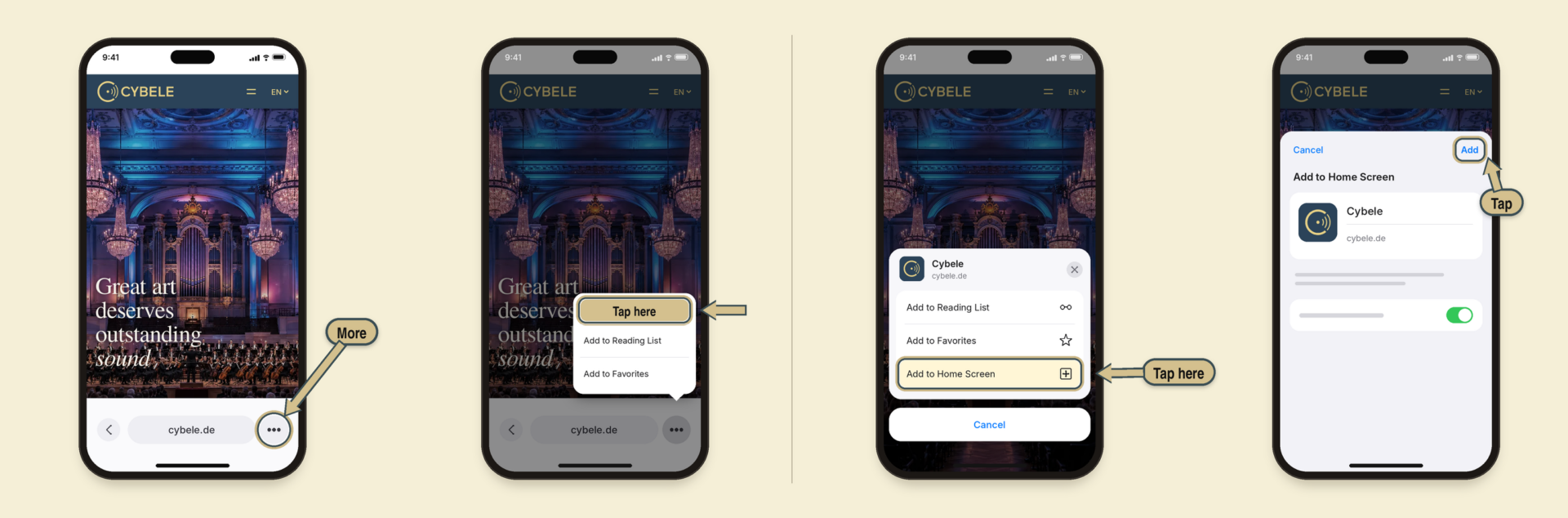


Step 1: Open cybele.de in Safari and tap “More” (three dots) at the bottom right. If Safari shows the address bar at the top or bottom, tap “Share” directly.
Step 2: Tap “Share”.
Step 3: Scroll down the list and tap “Add to Home Screen”.
Step 4: Check the name and tap “Add” in the top right corner. The Cybele icon will appear on your home screen. (From iOS 26, there is a toggle switch for the web app view here; it can remain turned on).
Android (Chrome)
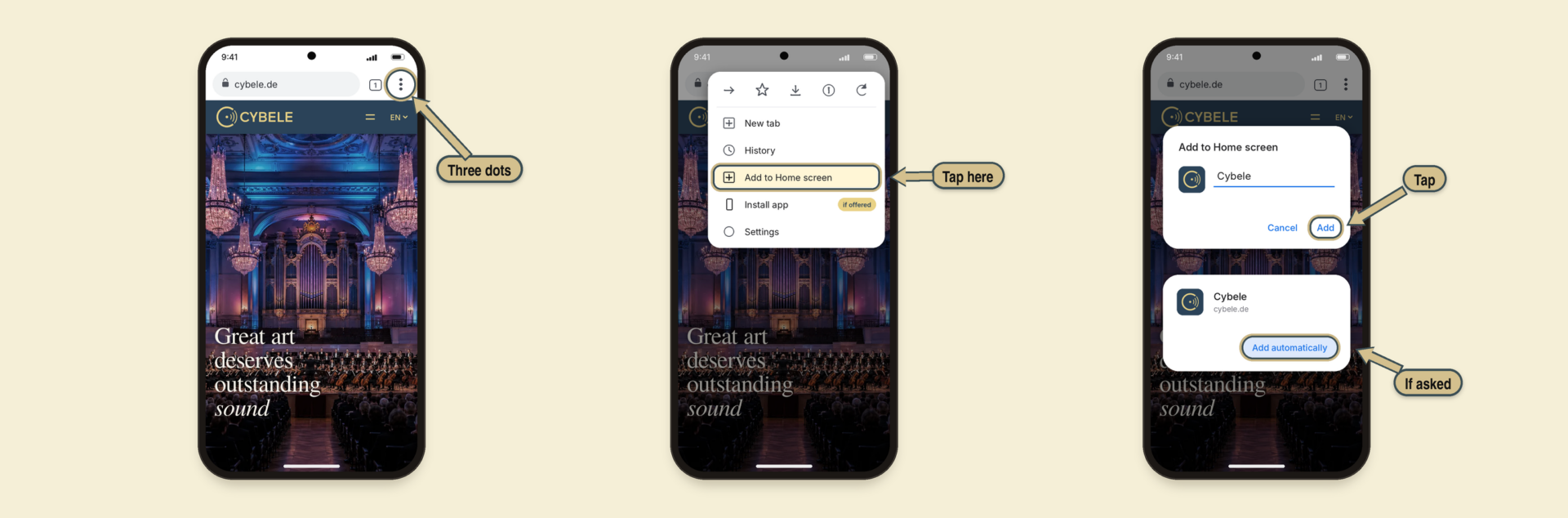


Step 1: Open cybele.de in Chrome and tap the three dots in the top right corner.
Step 2: Select “Add to Home screen” from the menu. If “Install app” is offered, you can choose that as well.
Step 3: Check the name and tap “Add”. Then, if prompted, select “Add automatically” or position the icon yourself. Done!