How to watch 360° YouTube videos at their best
Our 360° videos are produced in high resolution to provide an immersive visual experience. For optimal playback on YouTube, there are two important aspects to consider: 360° viewing and image quality.
360° viewing
On mobile devices, interactive playback of 360° videos is currently not supported in web browsers or embedded YouTube players.
To watch the video interactively in 360°, please do not press the red Play button with the white triangle. Instead, select “Watch on YouTube” directly below it. The video will then open in the YouTube app, where you can look in all directions by moving your smartphone or swiping across the image.
On computers, however, YouTube supports interactive 360° playback in current versions of Chrome, Firefox, Microsoft Edge and Opera.
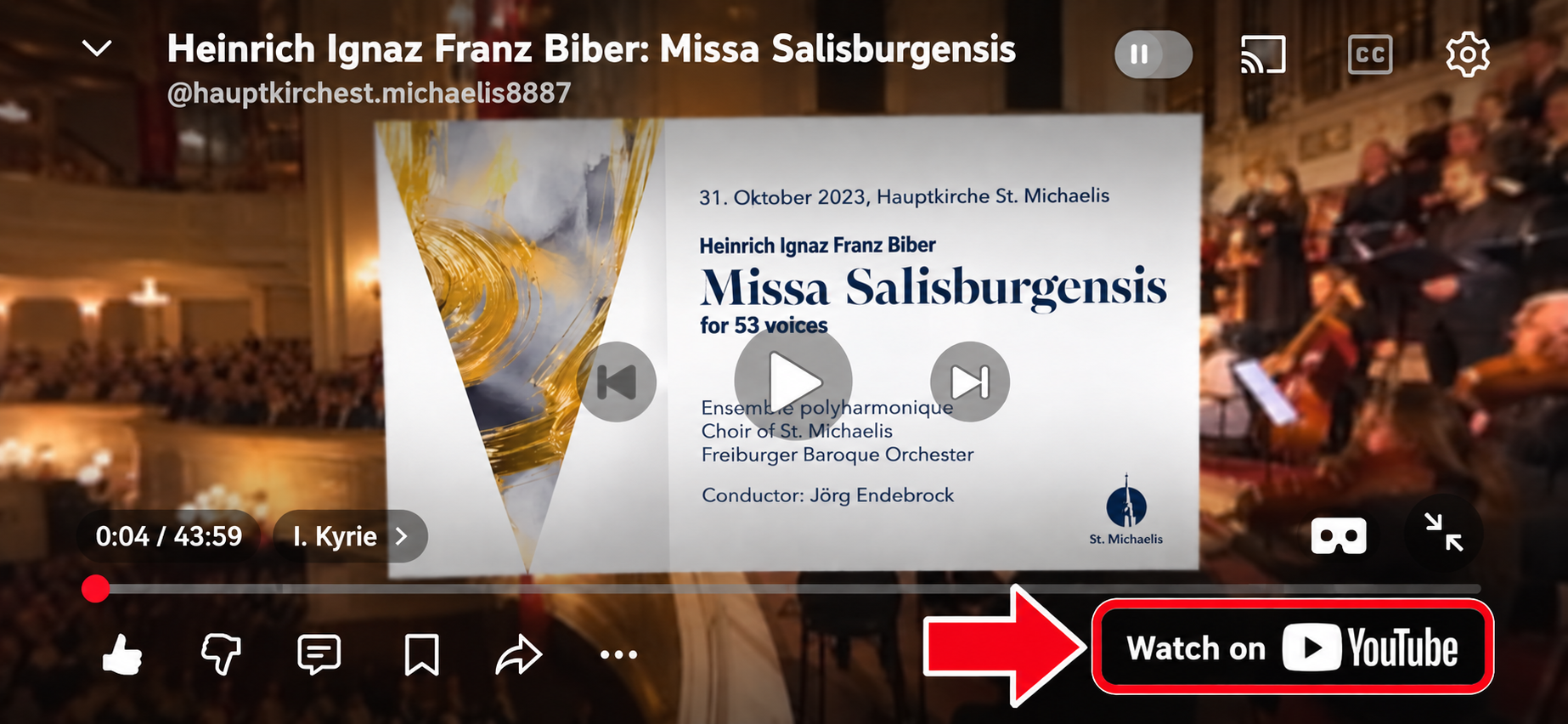
Image quality
YouTube automatically adjusts playback quality according to the device being used, player size, browser and available internet connection. Unfortunately, as the video provider, we cannot determine this automatic selection. As a result, our high-resolution 360° videos may initially be displayed at a much lower resolution and can therefore appear blurred or even noticeably pixelated.
This does not mean that the video itself is available only at this low resolution. The playback quality can be manually changed to a higher resolution in YouTube.
Low resolution is particularly noticeable with 360° videos because the total image resolution is distributed across the entire 360° field of view, while only a section of it is visible at any one time.
For appropriate image quality, we recommend at least 1080p on mobile devices. On computers with a Full HD display, we recommend at least 2160p (4K) whenever possible. Even on a Full HD display, the higher resolution provides a significant advantage with 360° material because only a section of the complete 360° image is displayed at any one time.
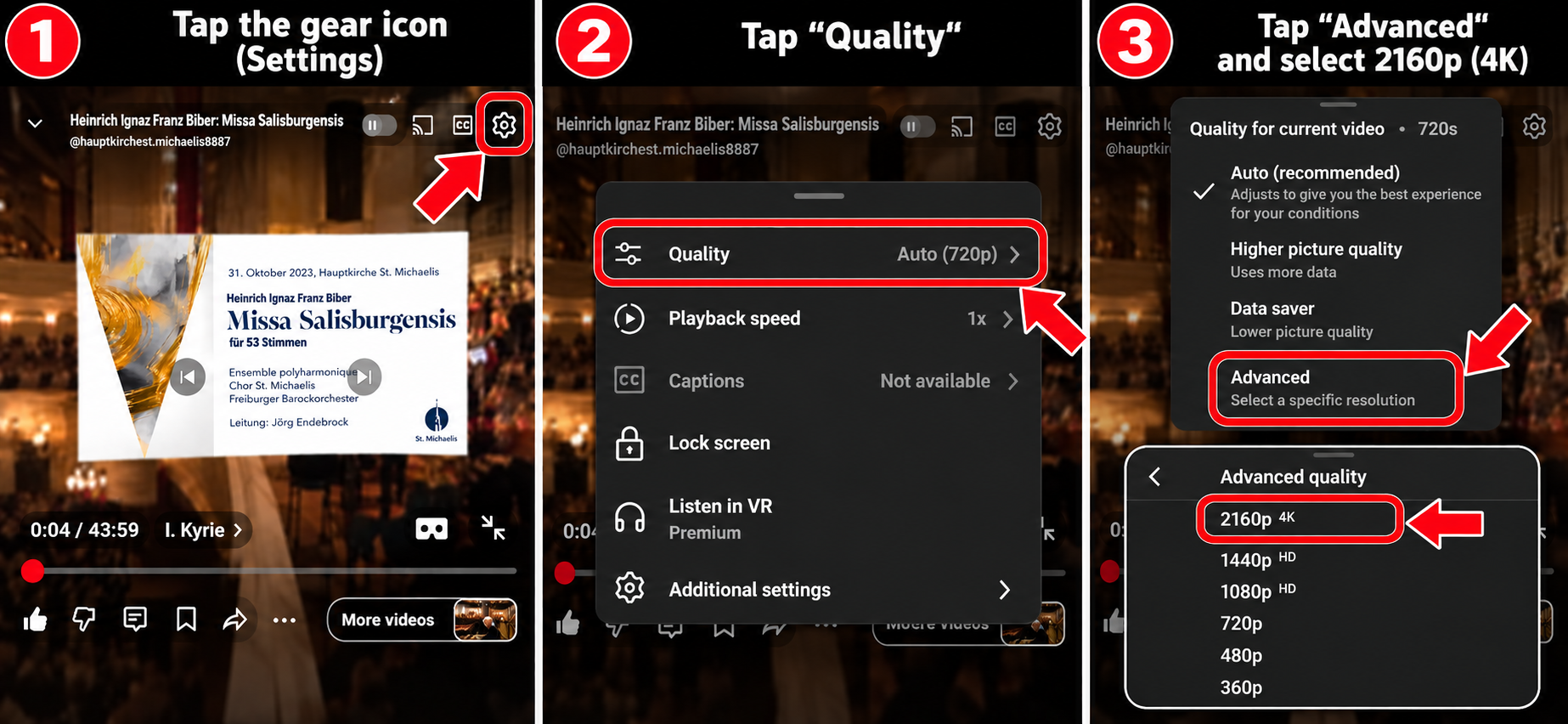
How to adjust the image quality on YouTube:
⚙ Settings → Quality → Advanced → desired resolution
On mobile devices, select at least 1080p whenever possible; on computers, select at least 2160p (4K) whenever possible. If this resolution is not available, please select the highest resolution offered.
Our recommendation:
Mobile: at least 1080p · Computer: preferably at least 2160p (4K)